
To improve your App Store conversion rate, treat the product page like a landing page you can test: a clearer icon, screenshots that sell the benefit in the first three frames, a preview video worth watching, and honest ratings - then run Product Page Optimization tests instead of shipping one redesign and hoping. The same work also supports keyword rankings, by turning relevant traffic into more downloads; the direct effect of conversion rate on rankings is not publicly confirmed.
The ASO Project’s in-house design team creates and split-tests these assets for the App Store and Google Play, when creative is in scope. Optimization starts at $2,500/month, creative-only at $3,500/month, and optimization plus creative at $5,000/month for one app in one store.
Why conversion rate is worth as much as traffic
In App Store Connect, conversion rate is total downloads (first-time downloads plus redownloads) divided by unique impressions. Product-page-view-to-download conversion is a different funnel measure. For example, 25 downloads from 100 unique impressions is a 25% App Store Connect conversion rate; it is not necessarily a 25% product-page conversion rate. Raising that number means more downloads from the traffic you already have - organic search, browse, referral, and paid.
Apple lists downloads among search factors, but does not publish conversion rate as a confirmed independent ranking factor. Measure conversion improvements and ranking changes separately. That is why our graphic assets and split-testing work is not separate from ranking work. Visibility without conversion leaves downloads on the table. Conversion without visibility limits how far the gains can go.
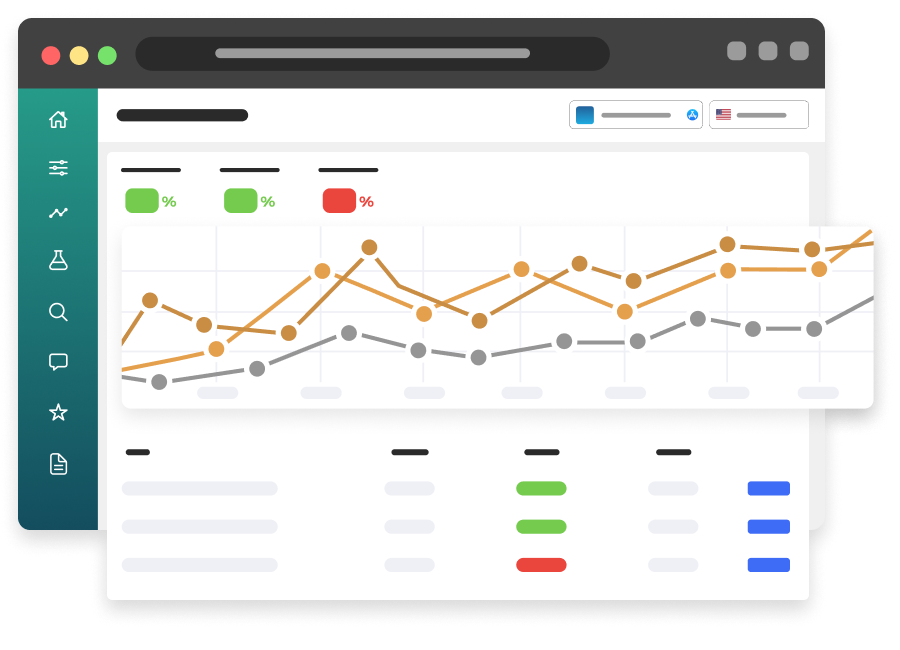
Before you change anything, measure the baseline in App Store Connect and Google Play Console: impressions, product-page views, and conversion at each step, broken out by source, country, and device where you can. Our ASO Dashboard pulls this data into one place, including conversion rates and, for the App Store, net organic installs after subtracting Apple Ads downloads.
Fix what people see before they ever open the page
In search results, you get a few pixels to earn the tap: icon, name, subtitle or short description, rating, and the first screenshot (or first three, depending on the store and orientation). If those assets are unclear, the product page never gets a chance.
Icon. The icon has to work at a very small size. Distinct shape, limited detail, and strong contrast usually beat a busy brand illustration. Test icons. Teams often underestimate how much the icon alone can move conversion.
Name and subtitle in the results. These lines should make the category and value obvious. A clever phrase that hides what the app does will lose to a simpler competitor.
First screenshots. The first frames must be readable in a search-result thumbnail. If the callout text is tiny, thin, or low-contrast, it is not doing its job. We have written about this before: callouts should highlight a real user benefit, stay concise, and stay large enough to read in search results. One idea per frame is enough.
Build a product page that answers “why this app?”
Once someone opens the listing, the page has to finish the argument.
Screenshot sequence. Lead with the primary outcome, then show the key workflows, then handle objections (offline access, privacy, platforms, or social proof). Design for the way the store crops and orders assets, and do not assume a user will scroll through every frame.
Preview video. A good preview earns attention and explains the product faster than static images. A weak one - too long, too much branding, no payoff in the first seconds - can hurt. If you use a video, treat it as a testable asset, not a one-time production.
Description and promotional text. These will not rescue a confusing first screen, but they should confirm what the app does, who it is for, and why it is trustworthy. Write for people first.
Ratings, reviews, and editorials. Social proof sits next to your creative. Review volume, recency, and replies all influence whether a visitor trusts the install. Pair CRO work with review management rather than treating them as separate projects.
Test. Do not just redesign.
The most expensive conversion mistake is a full creative overhaul with no test. You can make the page look more modern and still lose downloads.
On the App Store, Product Page Optimization lets you test alternative icons, screenshots, and preview videos on the default product page. On Google Play, store listing experiments serve a similar role. A disciplined test has a hypothesis (“a benefit-led first screenshot will raise conversion from search”), a clean control, enough traffic to read the result, and a decision at the end - ship, iterate, or revert.
Our CRO process follows three steps:
- Strategy, research, and planning. We look at previous tests, category trends, and competitor assets, then build a plan.
- Creative asset production. Our design team produces the required assets: icon, screenshots, feature graphics, and anything else the listing needs.
- Test, analyze, and iterate. We run the split tests, read the results, and plan the next iteration. The point is a proactive testing program, not a single refresh.
Clients can follow Product Page Optimization tests in our ASO Dashboard, including performance, improvement, and confidence. Confirm current Google Play experiment reporting support with our team.
Use Custom Product Pages for paid and use-case traffic
The default product page has to work for a broad audience. Custom Product Pages let you match screenshots, preview videos, and promotional text to a specific audience, campaign, or use case - and you can connect them to Apple Ads. Custom Product Pages can also be assigned keywords for organic App Store search, subject to Apple’s requirements.
If a user taps an ad about one job-to-be-done and lands on a generic listing, conversion suffers. A CPP that continues the same message closes that gap. This is one reason we manage creative, ASO, and Apple Ads as a single team: the keyword, the ad, and the page should tell the same story.
Improve conversion on the Google Play Store
Play Store visitors judge your app on many of the same signals, but the page and the tools are different.
- Feature graphic, screenshots and video. Google Play uses its own asset sizes and layouts, so design for how the listing actually renders on Android devices.
- Short description. This 80-character line sits near the top of the listing and does real conversion work - treat it like a headline, not a summary.
- Store listing experiments. Test icons, screenshots, graphics, and descriptions against your current listing, with enough traffic and time for a reliable result.
- Custom store listings. Tailor the page for specific countries, audiences, or campaigns so it matches the intent of the person arriving.
Ratings and app quality also shape trust on Google Play. We design and test for each store separately rather than reusing iOS assets as-is.
Localize creative, not just text
A screenshot sequence that converts in the United States may underperform in a market with different competitors, cultural expectations, or visual norms. Localization for conversion includes icons where needed, screenshots, videos, and callouts written for that storefront - not English assets with translated captions dropped on top.
If you are entering new countries, read Who can localize App Store and Google Play listings and our localization service. We produce localized graphic assets and videos alongside country-specific metadata.
How The ASO Project runs conversion work
We are not a design shop that hands over a screenshot pack and disappears, and we are not a keyword-only ASO vendor. Our in-house designers and video editors sit with ASO strategists, so creative decisions are tied to keyword intent, test data, and category research.
We create the visual assets tied to your listing, including icons, screenshots, feature graphics, in-app purchase and in-app event artwork, feature artwork, developer pages, promotional content, and localizations, across the App Store and Google Play.
Optimization starts at $2,500/month. Creative-only starts at $3,500/month; optimization plus creative starts at $5,000/month for one app in one store. Additional stores, apps and agreed work affect the final fee. You will have a senior ASO specialist and a designer in direct communication, plus reporting and dashboard access so you can see whether conversion is actually moving.
Compare like-for-like results
A rise from 20 to 25 downloads per 100 unique impressions is a 5-percentage-point increase, or 25% relative improvement. Compare the same source, country and period before drawing conclusions; changing traffic mix can change the average without any creative improvement.
Apple’s analytics definitions explain the conversion metric and source filters.