

Part 1: iOS 11 Subtitle, should you use it yet?
iOS 11 is coming, and bringing with it a number of changes. One of the most important changes is that the app title field is now limited to 30 characters (changed from 50). App developers have long used the title to inject their top keywords. The title is the most weighted App Store element in relation to keywords. Interestingly, iOS 11 also introduces a "Subtitle" field which is displayed below the app's title on the product page. This allows developers to add an additional 30 characters that will be factored into their keyword rankings.
As of right now, the Subtitle field is displayed in iTunesConnect as an "Optional" field for apps submitted prior to iOS 11. The question is, should developers use this field? For our tests, we utilize our "App Lab" which consists of a number of in-house apps across various categories that we test different elements of ASO. Let's take a look at the results!
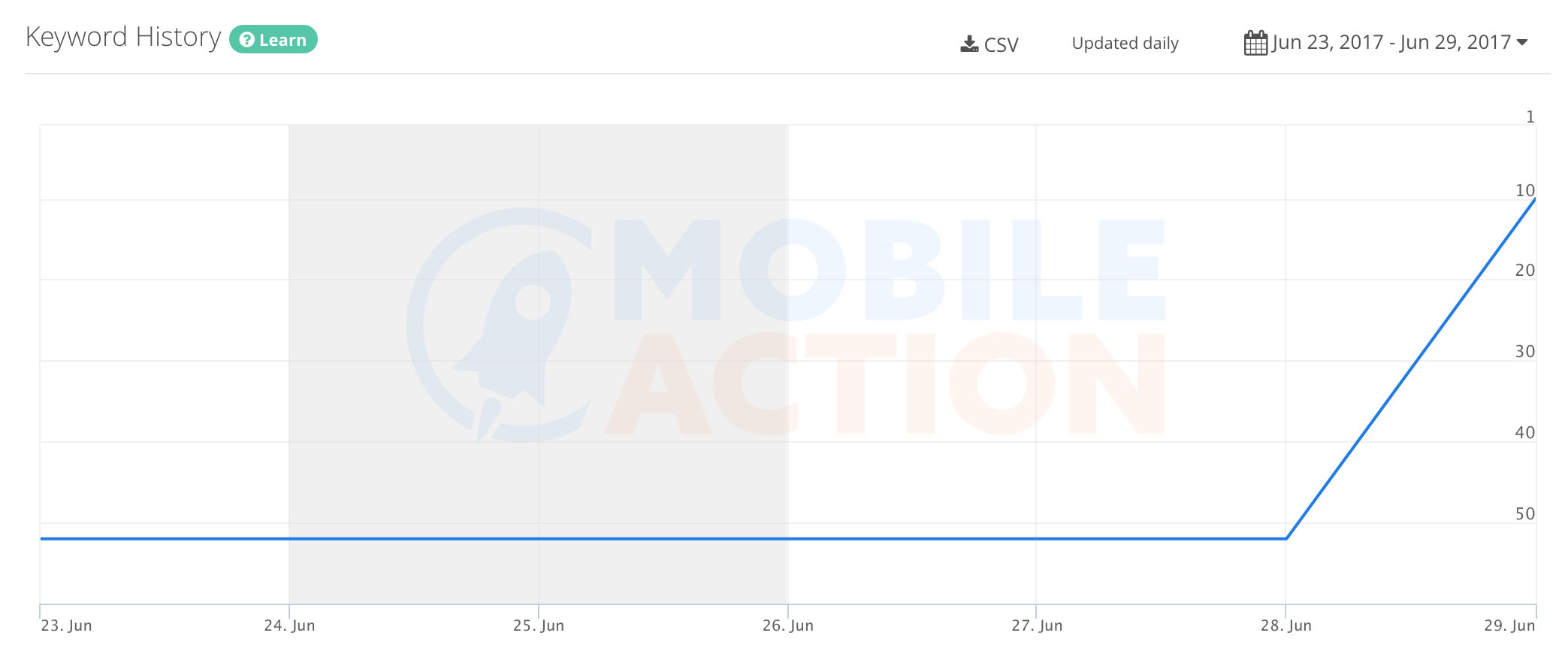
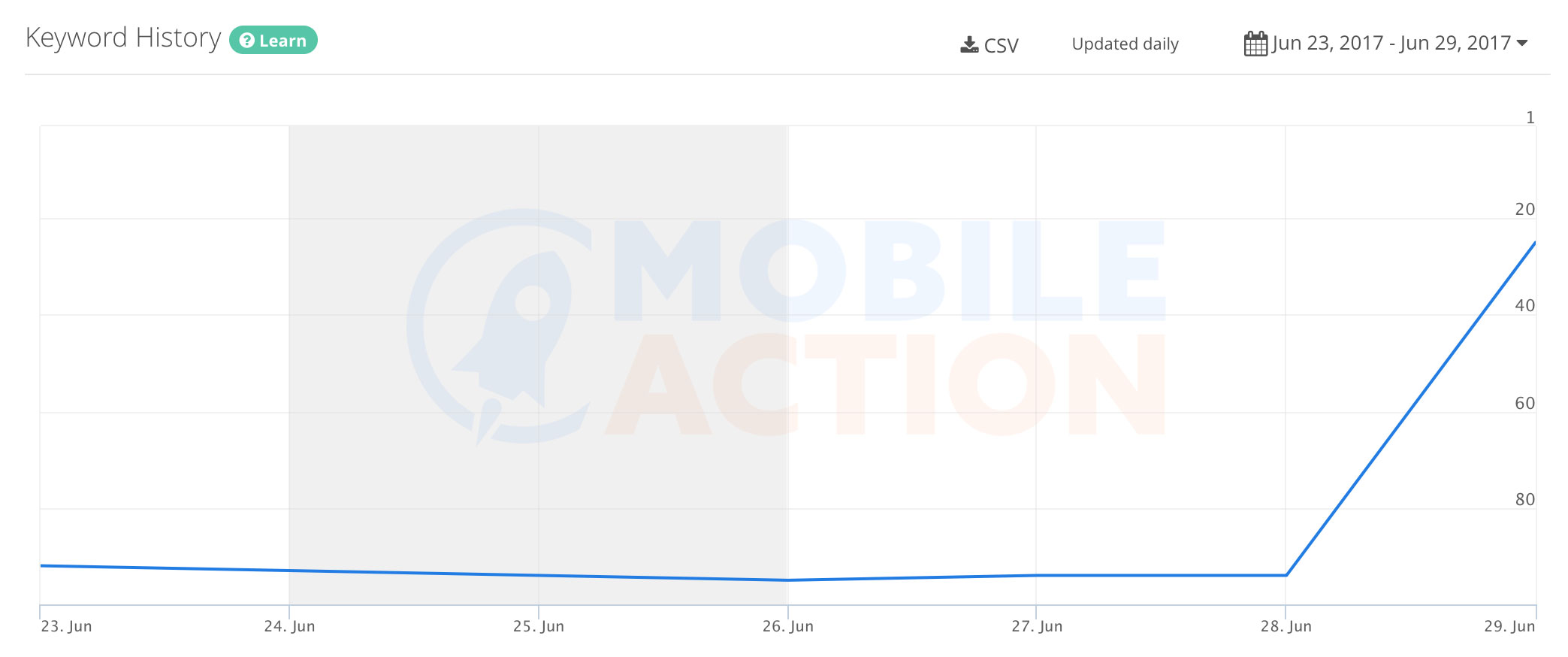 As you can see, there are some pretty compelling results that support the idea of utilizing the subtitle field in conjunction with an app title of less than the 30 character limit!

 Wow! Some pretty painful results here! It looks like Apple throws out characters 31-50 when the app is using both the title and subtitle fields!
Back to the blogTEST 1: Using under 30 Characters in Title and 30 Characters in Subtitle
For this test, we used an app that has around 15 characters in its title, and we added terms from the keyword list into the subtitle field.Keyword 1:
Keyword 2:
As you can see, there are some pretty compelling results that support the idea of utilizing the subtitle field in conjunction with an app title of less than the 30 character limit!
TEST 2: Using 50 Characters in Title and 30 Characters in Subtitle
For this test, we used an app that had exactly 50 characters in its title, and we added additional terms into the subtitle to fill the 30 characters. The following keyword graphs represent 2 terms that were located between character positions 31-50 in the app's title.Keyword 1:
Keyword 2:
Wow! Some pretty painful results here! It looks like Apple throws out characters 31-50 when the app is using both the title and subtitle fields!