

Apple2 min read
CPP Organic Keywords are LIVE
Organic keyword searches for Custom Product Pages are now LIVE in the App Store. When Apple announced this capability at WWDC last month (check out our recap here), developers were thrilled Apple has finally "matched" the Custom Store Listing value that the Play Store already has. Since their launch, CPPs have dramatically impacted the conversion rates within Apple Ads and through direct linking, and today marks a major leap forward: those same customized experiences can now be triggered by organic keyword searches.

Back to the blog
What’s New?
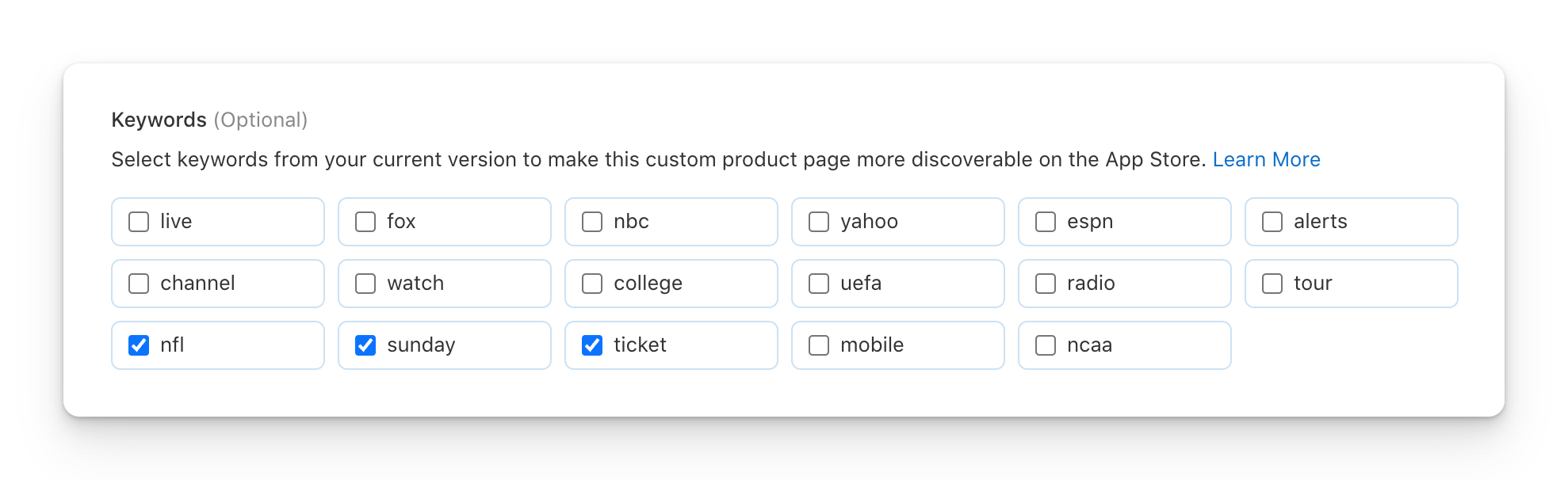
Previously, Custom Product Pages were mostly confined to paid campaigns (like Apple Search Ads) or external traffic. But with this update, developers can now assign keyword mappings to CPPs, allowing specific organic search terms to surface targeted custom pages in place of the default product page. For example, our sports related client below has the opportunity to select keywords for their "NFL" Custom Product Page:
Why This Matters for ASO
This change fundamentally shifts how we approach keyword optimization on the App Store:- ✅ Better Conversion Rates: Tailored visuals and messaging aligned to search intent = higher install conversion
- ✅ Smarter Funnel Segmentation: You can now track and optimize performance per keyword/page combination
- ✅ More Granular A/B Testing: Organic CPP impressions can help validate hypotheses before scaling to paid channels
- ✅ Creative and Metadata Flexibility: Highlight different features or value props without overloading your default listing
What You Should Do Next
- Audit Your Keyword Themes: Group target keywords by user intent or use case (e.g., “budgeting” vs. “investing” for a finance app).
- Create Intent-Matched CPPs: Align screenshots, messaging, and promo text with each group.
- Track, Analyze & Iterate: Use App Analytics and App Store Connect data to monitor performance by page, and adjust creatives or mappings based on install and conversion trends.